Case study · Enterprise knowledge · Q1 2026
Metadata management for enterprise knowledge.
A governance-first metadata system, designed from the ground up, so enterprise knowledge is always findable, trustworthy and AI-ready.
Designed from scratch: no prior design and no existing flow to reference, only a clear product gap and a user need.
01 · Problem
Hundreds of documents, no metadata layer.
Enterprise knowledge gardens held hundreds of documents with no structured metadata. Search and filters were unreliable, tagging was inconsistent or missing, and non-technical users had no governed way to manage metadata at scale.
Metadata was hard to find
No central view. The only way to check a document's metadata was to open it.
Tagging was inconsistent
No structured keys, so every team tagged documents its own way.
Too technical for its users
Knowledge managers and business analysts needed to manage metadata without writing queries or waiting on engineers.
Design goals
- A spreadsheet-like gridDocuments as rows, keys as columns.
- Keys without codeCreate, edit and delete metadata keys with no technical knowledge.
- AI extraction, human approvalAI proposes values; a person reviews them before they apply.
- Governance in viewCompleteness, empty cells, extraction runs and their cost.
02 · Solution
From empty cells to approved values.
Six of the module's eight states, in the order a knowledge manager meets them.
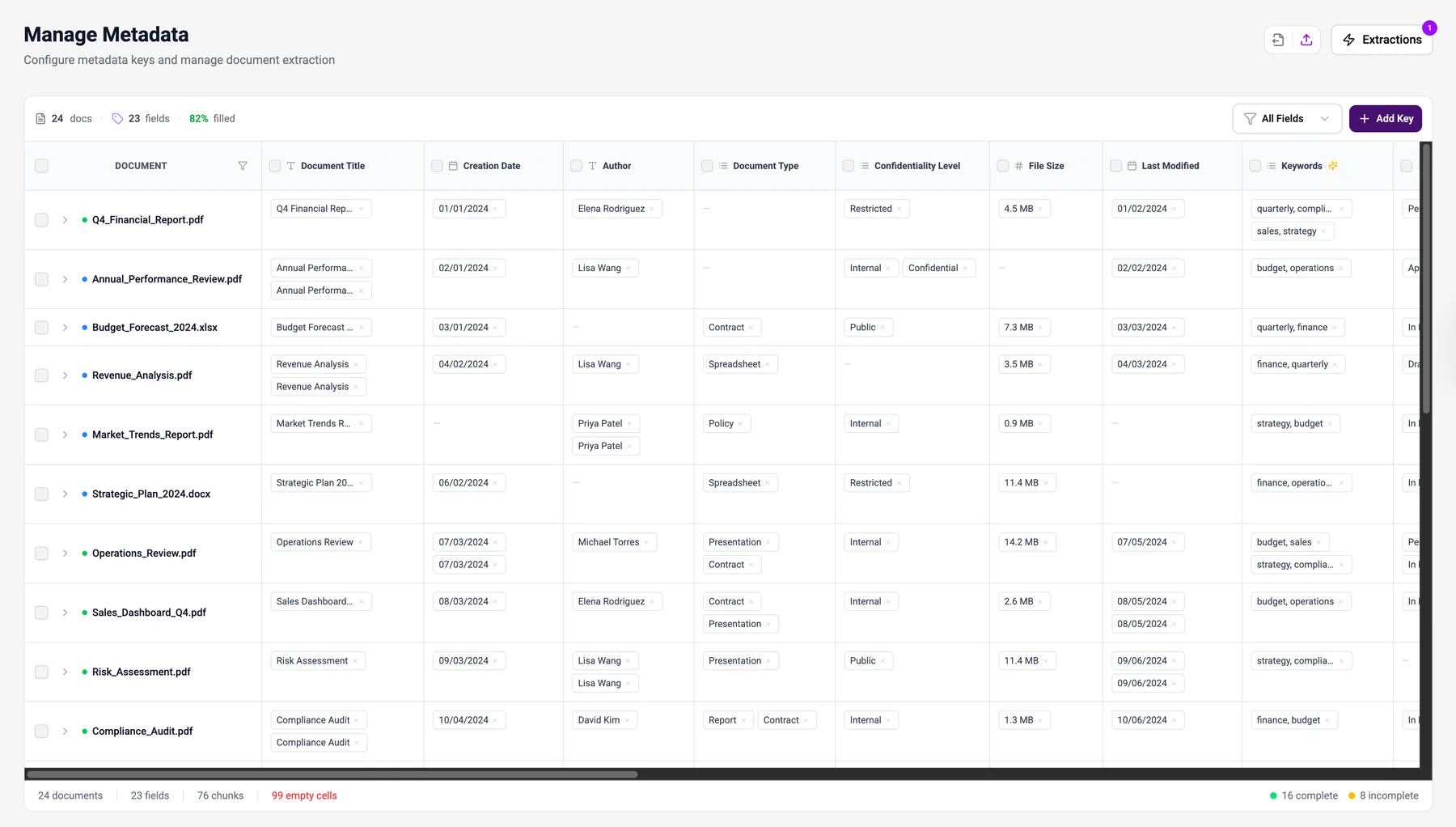
Metadata grid
Columns for title, creation date, author, document type, confidentiality and size. A status bar counts documents, fields and empty cells, and the empty cells are highlighted.
This is the screen at the top of the page: the gaps are the first thing you see, before any AI is involved.
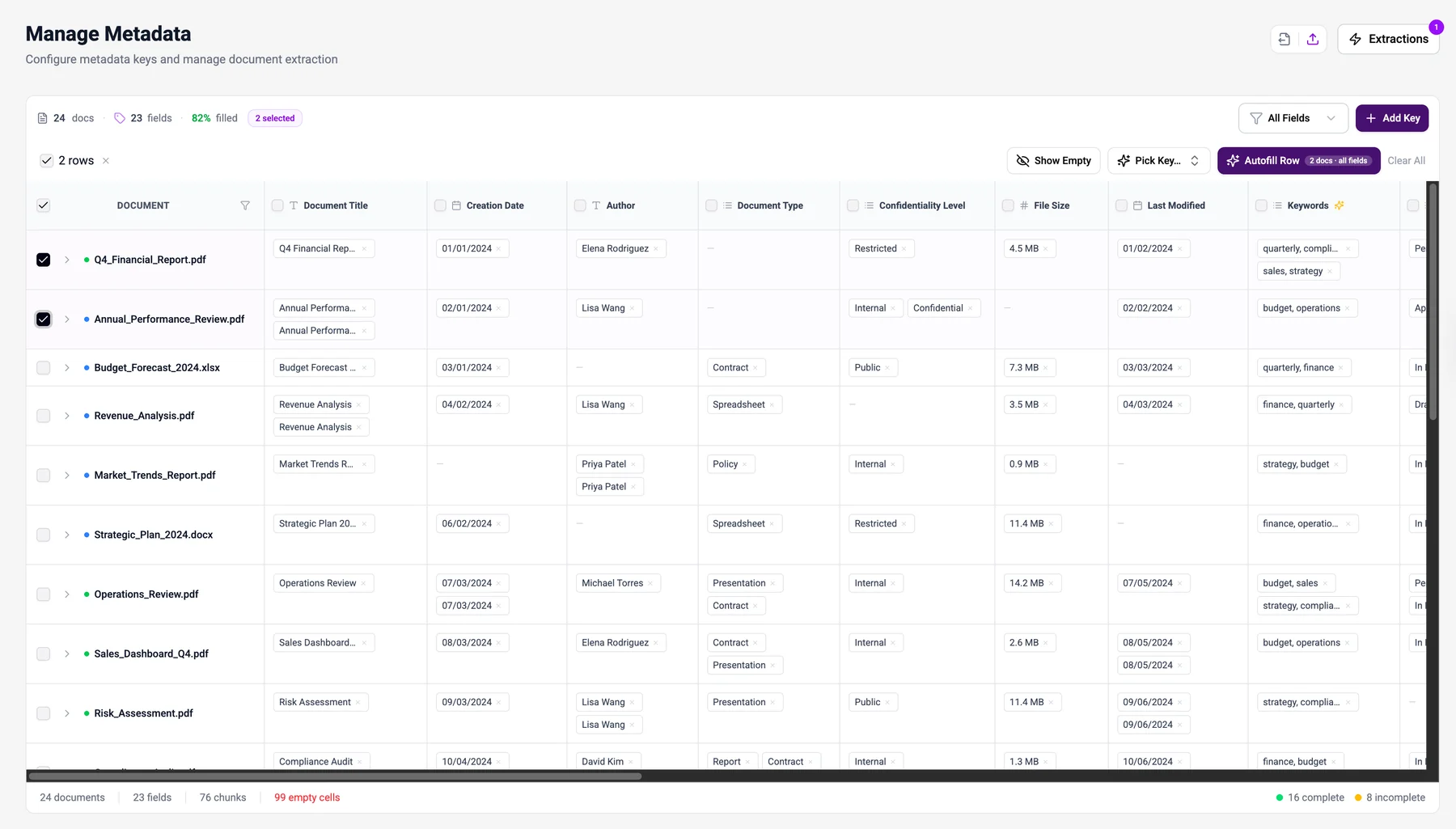
Bulk actions
Select several documents and a contextual action bar appears: show empty cells, pick a key, or autofill the row with AI.
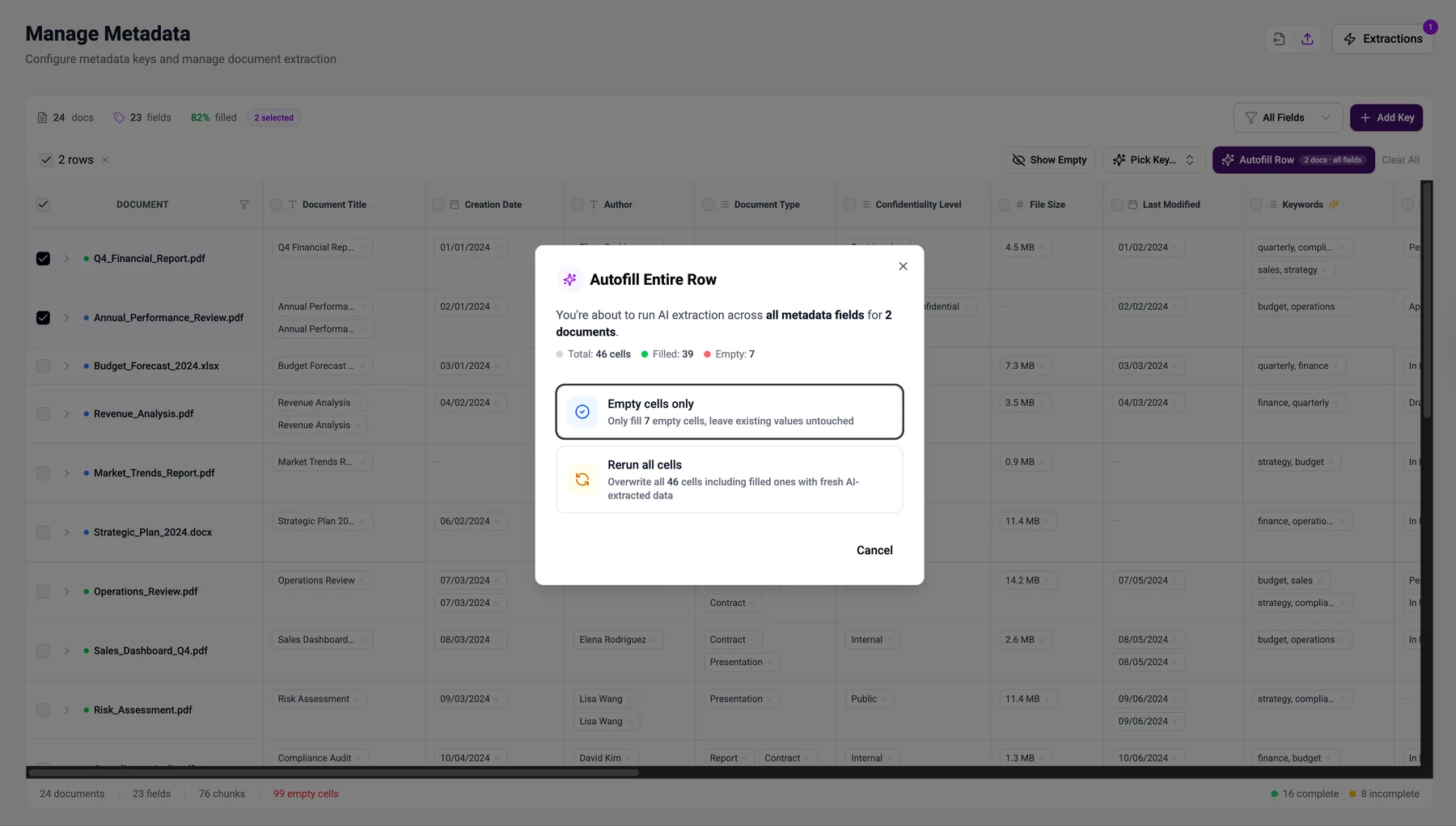
Smart confirmation
Before extraction runs, a modal shows the total, filled and empty cells in scope, and asks: fill empty cells only, or rerun everything.
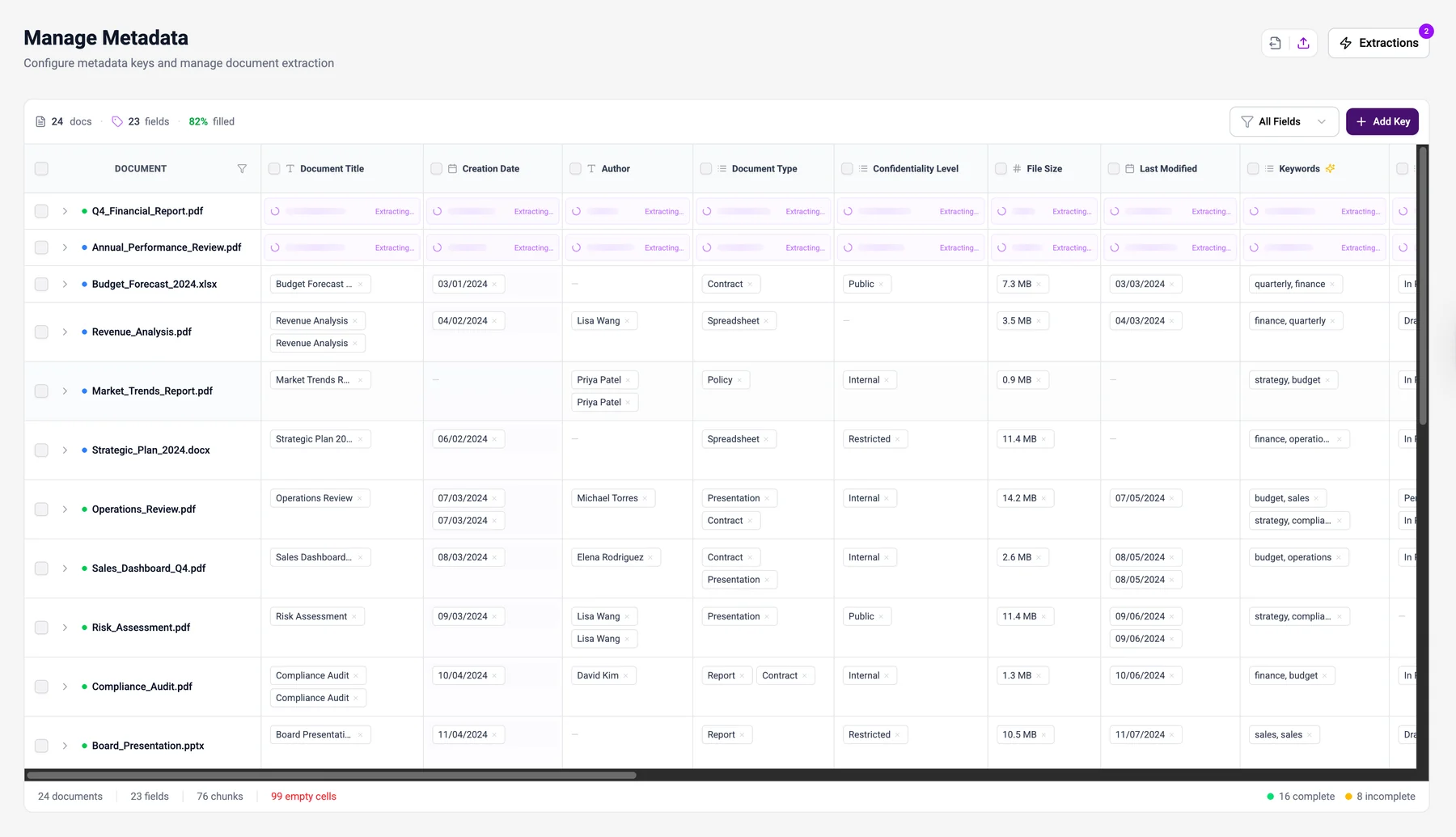
Real-time feedback
Each cell shows its own “Extracting…” state while the rest of the grid stays usable.
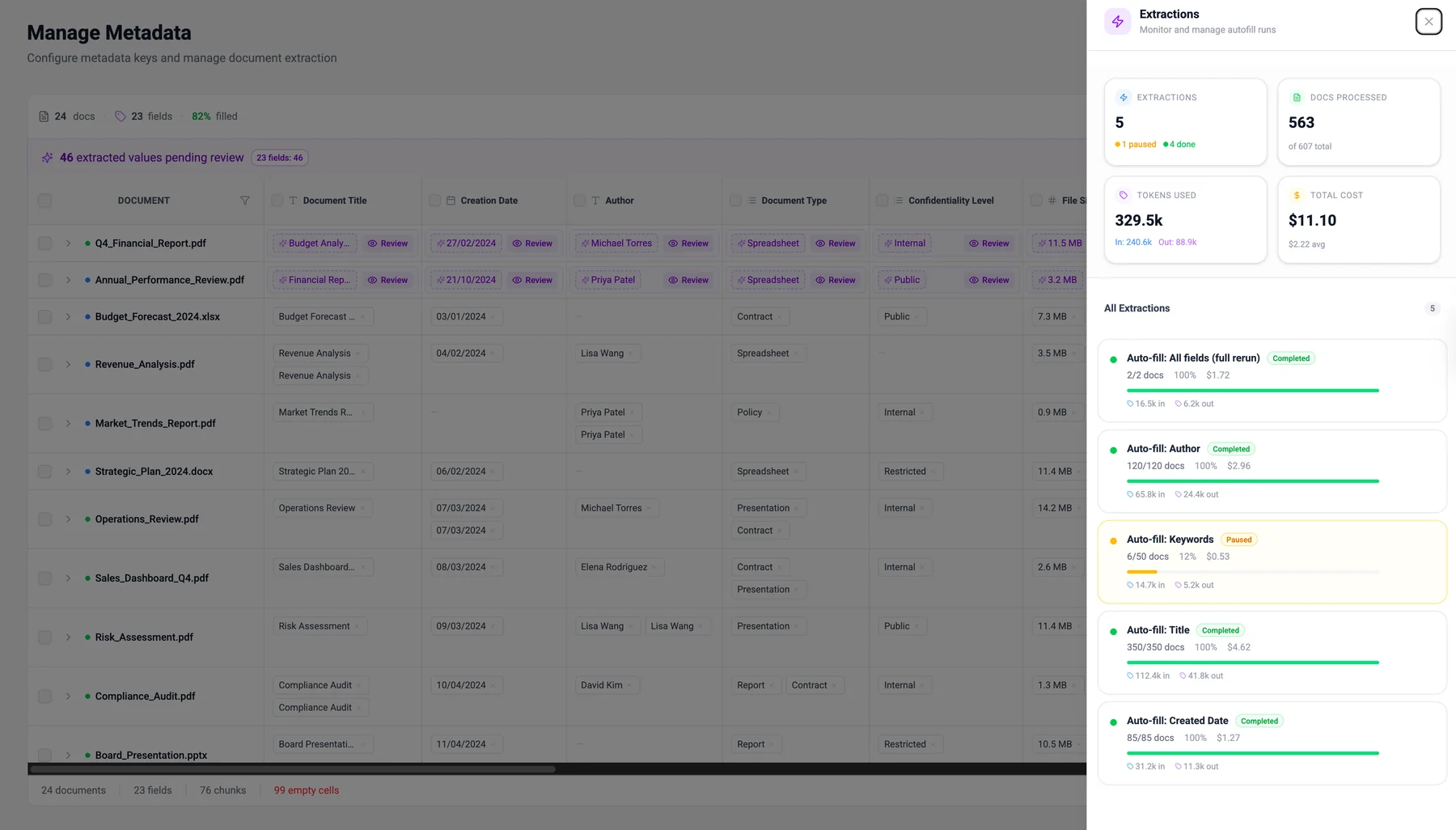
Extraction monitoring
A side panel lists every run with its status, documents processed, tokens used and cost, overall and per field.
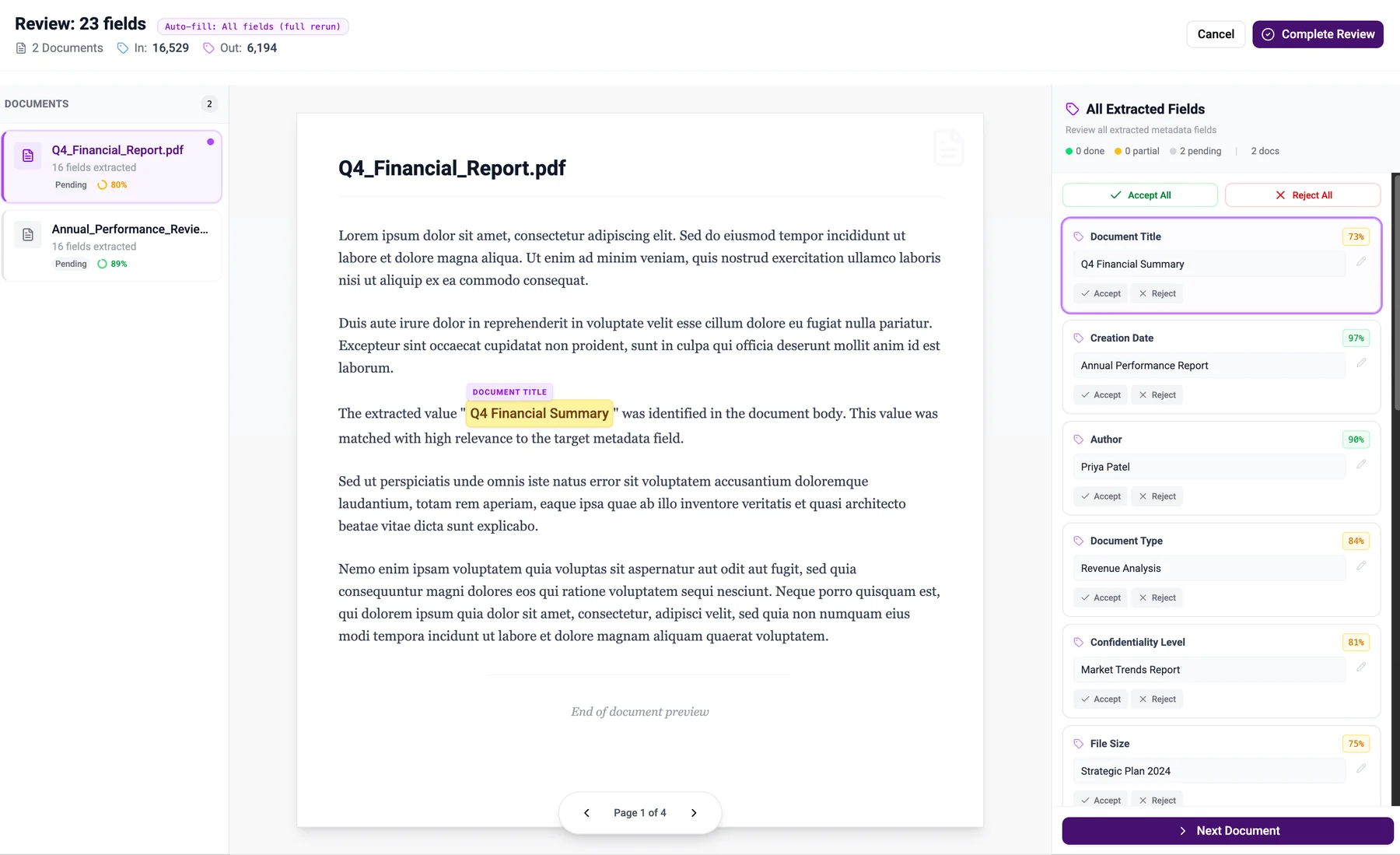
Human-in-the-loop review
The document sits in the centre with the evidence highlighted; extracted fields sit on the right with confidence scores and Accept or Reject.
03 · Decisions
Automation that never skips the human.
Tap a card to see the decision.
04 · Results
From a governance gap to a workflow.
| Area | Before | After |
|---|---|---|
| Visibility | No central metadata view | A grid with full create, edit and delete |
| Keys | No way to define keys | Keys managed by knowledge managers |
| Extraction | None | AI autofill, single or bulk |
| Review | No review workflow | Human-in-the-loop review with confidence scores |
| Governance | No tracking | Real-time monitoring with cost and tokens |
Live in the Purple Fabric platform since February 2026. The feedback that came back most: people can finally see how their data pairs with the keys. The next iteration of the journey is in development; formal metrics aren’t published yet.
The human-in-the-loop review became the defining principle of the module: automation does the tedious part, and it never gets to compromise data integrity.
05 · Prototype